
Have you ever felt like you’re talking to a machine that just doesn’t “get” what you mean? It’s a common frustration. You type something into an AI, hoping for a specific answer or creative output, but you get something completely off the mark.
It’s like speaking two different languages. This happens a lot when we’re trying to get AI to do complex tasks. We need a way to guide it precisely.
That’s where a good prompt template comes in. It helps you structure your thoughts so the AI understands them better. This guide will show you how to build and use these templates to get the results you want, making AI a much more helpful tool.
A prompt template is a pre-designed structure or guide for writing prompts. It helps users give AI specific instructions. This ensures clearer communication and more accurate AI outputs by including essential components like context, task, and desired format. Think of it as a recipe for telling the AI exactly what to cook.
Understanding Prompt Templates
So, what exactly is a prompt template? Imagine you’re asking someone to draw a picture. You could just say “draw a dog.” But that’s vague.
Is it big or small? What color? What’s it doing?
A prompt template helps you add details. It’s like a fill-in-the-blanks sheet for your AI requests.
It gives you a framework. This framework ensures you don’t miss any key information. The AI needs context.
It needs to know what job to do. It also needs to know how you want the answer presented. A template makes sure all these parts are included.
This leads to better, more predictable results. Without one, your prompts can be messy. This often leads to the AI guessing what you want.
Why Prompt Templates Are Your AI Best Friend
Let’s talk about why these templates are so important. Think about the last time an AI gave you a strange answer. You probably thought, “That’s not what I asked for!” This is usually because the prompt was unclear.
Prompt templates fix this. They bring order to the chaos of asking an AI for things.
When you use a template, you’re essentially building a clear path for the AI to follow. This reduces errors and confusion. It also saves you time.
You don’t have to keep rephrasing your requests. You just fill in the blanks in your template. This consistency is key for getting reliable outputs from AI tools like ChatGPT, Gemini, or Claude.
The Core Components of a Good Prompt Template
What makes a template great? It’s all about the parts it includes. Every good template has a few key ingredients.
These ingredients tell the AI exactly what you need. Missing even one part can lead to a confusing answer. Let’s break them down.
We’ll look at what they are and why they matter.
1. The Role (Who the AI Should Be)
First, you tell the AI what role to play. Should it be a writer? A programmer?
A teacher? A marketing expert? Defining this role helps the AI adopt the right tone and style.
It also helps it access the correct knowledge base. If you want creative writing, you might tell it to be a novelist. If you need code, you’ll tell it to be a Python developer.
This is super important for getting the right kind of output. A recipe written by a chef will sound different from one written by a home cook. The AI needs to know which hat to wear.
It helps the AI focus its abilities on the task at hand. This makes the AI’s responses much more relevant and useful for your specific needs. It’s like giving an actor their character before a play.
2. The Context (What’s Happening)
Next, you give the AI some background. This is the context. What is the situation?
What information does the AI need to know to help you? This could be details about a project, a problem you’re facing, or the audience you’re trying to reach. The more context you provide, the better the AI can understand your request.
For instance, if you’re asking the AI to write an email, tell it who the email is for and why you’re sending it. If you’re asking it to explain a concept, tell it who needs to understand it – a child, a student, or a colleague. Context helps the AI avoid making assumptions.
It ensures the response is tailored to your specific situation. It’s the “why” behind your request.
3. The Task (What to Do)
This is the core of your prompt. What action do you want the AI to perform? Do you want it to write, summarize, translate, analyze, brainstorm, or code?
Be very specific here. Vague tasks lead to vague results. Instead of “write about dogs,” try “write a short, fun story about a golden retriever puppy’s first day at the park.”
This is where you clearly state the objective. It’s the main instruction. The AI needs a clear command.
This part of the template is where you leave no room for misinterpretation. It’s the “what” you want done. If you want a list, say “create a bulleted list.” If you need a table, say “generate a table with these columns.” Directness is key.
4. The Constraints & Guidelines (How to Do It)
Here, you set the rules. What limitations or specific requirements does the AI need to follow? This could include word count, tone, style, format, keywords to include or avoid, and specific data points to use.
For example, you might say, “Keep the response under 200 words,” or “Use a friendly and encouraging tone,” or “Do not mention competitors.”
These are the guardrails. They prevent the AI from going off track. If you need the AI to write a blog post for beginners, you’ll tell it to avoid jargon and use simple language.
If you’re asking for marketing copy, you might specify the target audience’s age range. These details fine-tune the output to your exact needs. They ensure the AI stays within the boundaries you set.
5. The Output Format (How to Show It)
Finally, how should the AI present the information? Do you want a paragraph? A bulleted list?
A table? A code snippet? A JSON object?
Specifying the output format is crucial for making the AI’s response easy to use. If you need data for a spreadsheet, ask for a table. If you need steps, ask for numbered points.
This is about presentation. It’s the final polish on the AI’s work. Imagine asking for a recipe and getting a giant block of text.
It’s hard to read! But if it’s in a clear, bulleted list with ingredient quantities, it’s much more helpful. Always tell the AI how you want the final product to look.
This saves you a lot of formatting work later.
Prompt Template Components at a Glance
Role: Who should the AI be? (e.g., Expert Writer, Friendly Tutor)
Context: What background info does the AI need? (e.g., Project details, User background)
Task: What action should the AI perform? (e.g., Write, Summarize, Analyze)
Constraints: What rules must the AI follow? (e.g., Word count, Tone, Keywords)
Output Format: How should the AI present the answer? (e.g., List, Table, Paragraph)
Crafting Your First Prompt Template
Let’s put this into practice. Imagine you need to write social media posts. You want them to be engaging and fit a specific brand voice.
Here’s how you could build a template for that.
First, we need a role. “You are a witty and engaging social media manager for a small, eco-friendly coffee shop.” That sets the tone. Next, context.
“Our target audience is young adults aged 18-30 who care about sustainability and enjoy artisanal coffee.” This tells the AI who to talk to.
The task is clear: “Generate three distinct Instagram post captions.” Now for constraints. “Each caption should be between 50-75 words. Use a friendly, slightly humorous tone.
Include relevant emojis. Avoid overly technical coffee jargon. Incorporate the hashtag #SustainableSips.” This gives the AI specific rules to follow.
Finally, the output format. “Present each caption clearly labeled as ‘Caption 1:’, ‘Caption 2:’, and ‘Caption 3:’.” This makes the output easy to use. You can then copy and paste these into your social media scheduler.
This structured approach ensures you get consistent, on-brand content every time.
Example Prompt Template: Social Media Content
Role: You are a creative marketing assistant for .
Context: Our company sells . Our target audience is . The goal of this post is to .
Task: Create posts.
Constraints: Each post should be . Use a tone. Include the following keywords: .
Do not mention .
Output Format: Present each post clearly labeled .
Real-World Scenarios: When Templates Shine
Let’s look at some actual situations where prompt templates are a lifesaver. One common struggle is generating product descriptions. Without a template, you might just type “describe this chair.” The AI might give you a bland, generic overview.
But with a template, you can guide it.
You’d tell it the chair’s material, dimensions, style (modern, rustic), key features (ergonomic, easy to clean), and the target buyer’s needs (comfort for long work hours, stylish addition to a living room). You’d also specify the tone (persuasive, informative) and length. This way, the AI creates descriptions that actually sell the product and appeal to the right customers.
Another scenario is generating educational materials. If you need to explain a complex scientific concept to high school students, you can use a template. You’d tell the AI its role is a science educator.
The context is a biology class. The task is to explain photosynthesis simply. Constraints would include using analogies, avoiding complex terms, and keeping it under 300 words.
The output format could be clear paragraphs or bullet points.
Scenario Spotlight: AI-Powered Email Drafting
Problem: Writing follow-up emails after a meeting can be time-consuming.
Template Solution:
- Role: Professional Business Assistant.
- Context: I just had a meeting with from on about . Key decisions made were . Action items for me are .
- Task: Draft a follow-up email summarizing the meeting and outlining next steps.
- Constraints: Keep it concise (under 150 words). Use a polite and professional tone. Include a call to action for the client if applicable.
- Output Format: Provide the full email text, ready to be copied.
Tips for Making Your Templates Even Better
Once you start using templates, you’ll find ways to improve them. It’s an ongoing process. Think about what works and what doesn’t.
Maybe you find the AI often misses a specific detail you need. Add a new constraint to your template to cover it.
Try different phrasing. Sometimes a small change in wording can make a big difference in how the AI interprets your request. Also, keep a library of your templates.
Label them clearly so you can find the right one quickly. For example, you might have “Blog Post Intro Template,” “Product Description Template,” or “Social Media Caption Template.”
Don’t be afraid to experiment. The more you use and refine your templates, the better they will become. This iterative process ensures your AI interactions are efficient and productive.
You’ll spend less time fixing AI mistakes and more time getting great results. It’s about making the AI work smarter for you.
Template Refinement Checklist
- Clarity: Is the language simple and direct?
- Completeness: Are all necessary components included?
- Specificity: Are tasks and constraints precise?
- Usability: Is the output format easy to work with?
- Efficiency: Does it save time and reduce errors?
- Flexibility: Can it be easily adapted for minor variations?
Common Pitfalls to Avoid
While templates are powerful, there are a few mistakes people sometimes make. One is making templates too rigid. If your template is too long or has too many strict rules, it can limit the AI’s creativity.
You still need to allow the AI some flexibility to generate unique outputs.
Another pitfall is using vague language even within the template. For example, if your template says “describe the product,” it’s still too broad. You need to fill in the specifics of how to describe it.
Also, remember that AI models change. What works perfectly today might need slight adjustments tomorrow as the AI updates.
Finally, don’t forget to review the AI’s output. A template helps, but it’s not foolproof. Always read through what the AI gives you.
Check for accuracy, tone, and any unexpected errors. Think of the template as a skilled assistant; you’re still the manager who reviews the final work before it goes out.
Myth vs. Reality: Prompt Templates
Myth: Prompt templates automate everything, requiring no human input.
Reality: Templates provide structure and guidance. Human input is still needed to fill in specifics and review outputs.
Myth: You only need one or two templates for all tasks.
Reality: Different tasks require different templates. A content creation template differs from a data analysis one.
Myth: Prompt templates make AI responses generic.
Reality: Well-crafted templates lead to more specific and relevant outputs, not generic ones.
The Future of Prompt Engineering with Templates
As AI technology advances, prompt engineering becomes even more important. Prompt templates are a fundamental part of this. They are evolving from simple fill-in-the-blanks to more complex systems.
Think of them as the operating system for interacting with AI.
We’re seeing more sophisticated templates that can adapt. They might dynamically adjust based on the AI’s previous responses. This makes the interaction feel more like a natural conversation.
For users, this means AI will become even easier to work with. It will feel less like using a tool and more like collaborating with an intelligent partner.
Mastering prompt templates now puts you ahead of the curve. It helps you leverage AI more effectively today and prepares you for the more advanced AI interactions of tomorrow. It’s about building a strong foundation for successful AI communication.
This skill will only grow in value.
Frequently Asked Questions
What is the main purpose of a prompt template?
The main purpose of a prompt template is to provide a structured guide for users to communicate their needs to an AI. It ensures all essential information is included, leading to clearer instructions and more accurate, relevant AI outputs. It helps users avoid vague prompts and achieve consistent results.
How do I choose the right template for my task?
To choose the right template, consider the type of task you need the AI to perform. For example, if you need to write an article, use a content creation template. If you need to extract data, use a data analysis template.
Think about the role, context, task, constraints, and desired output format for your specific need.
Can I reuse a prompt template multiple times?
Yes, absolutely. The power of a prompt template lies in its reusability. You can fill in the specific details for each new request.
For instance, a social media template can be used to generate posts for different products or campaigns by simply changing the context and specific details each time.
What if the AI doesn’t give me the output I expect, even with a template?
If the AI’s output isn’t as expected, even with a template, try refining the template itself. You might need to be more specific in the task or constraints. Sometimes, rephrasing a particular instruction or adding more context can help.
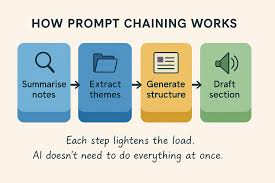
Also, consider breaking down a very complex task into smaller, sequential prompts.
Are prompt templates different for different AI models (like ChatGPT vs. Gemini)?
While the core principles of prompt templates are similar across different AI models, the way each model interprets prompts can vary slightly. It’s good to be aware of the strengths and weaknesses of the specific AI model you are using. You might need to make minor adjustments to your templates for optimal performance with different models.
How do I make sure my prompt template is easy for the AI to understand?
To make your prompt template easy for the AI to understand, use clear, simple language. Avoid jargon or ambiguous terms unless they are defined within the context. Structure your template logically with distinct sections for role, context, task, and constraints.
Be direct with your instructions and specify the desired output format clearly.
Final Thoughts on Mastering AI Communication
Using prompt templates transforms how you interact with AI. It moves you from hoping for the best to actively directing the outcome. By creating structured, clear requests, you unlock the AI’s true potential.
You can get more accurate results, save time, and reduce frustration. Start building your templates today. They are your key to better AI conversations.








Leave a Reply