

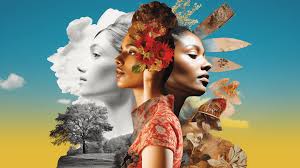
Trying to get the AI to make the art you imagine can feel like a puzzle. You type in what you want, but the picture that pops out is. well, not quite right.
It’s a common feeling for so many people exploring tools like Midjourney. You see incredible images online, and you want to create something similar, but your prompts just aren’t hitting the mark. That’s where learning the art of prompt crafting comes in.
We’ll dive deep into how to talk to the AI.
For the best Midjourney results, describe your desired image with clear details about the subject, style, colors, lighting, and camera angle. Adding artist names or specific artistic movements can also guide the AI effectively. Think of it as painting a picture with words for the computer.
What is a Midjourney Prompt?
A Midjourney prompt is simply the text you give to the Midjourney AI. It’s your instruction. Think of it as telling a super-talented artist exactly what to draw for you.
This text tells the AI about the main subject of your image. It also guides the artistic style you want. It can even describe the mood or feeling of the picture.
The AI tries its best to understand your words. Then, it creates a unique image based on its training. This training includes millions of images and their descriptions.
So, the more specific and clear your prompt, the better the AI can understand your vision. It’s a creative dialogue between you and the machine.
My First Art Attempts: A Story of Disappointment
I remember when I first started using Midjourney. I was so excited! I had all these amazing ideas in my head.
I typed in something simple like “a cat in space.” What I got back was a fuzzy blob that kind of looked like a cat, floating in a dark void. It wasn’t bad, but it wasn’t the cool astronaut cat I pictured at all. I felt a bit deflated.
It’s like trying to describe a dream and having someone else draw it. You get pieces, but the magic is lost.
I spent hours trying variations. “A fluffy cat with a helmet in outer space.” Still not great. The cat looked weirdly proportioned, and the space felt flat.
I saw other people’s work that looked so polished and professional. I wondered what secret they knew. Was it just luck?
Or was there a hidden language I needed to learn? That feeling of “I know what I want, why can’t I get it?” is really frustrating when you’re trying to be creative.
Getting Started with Prompt Elements
Subject: What is the main thing in your picture? (e.g., a dog, a castle, a robot)
Action: What is the subject doing? (e.g., running, sleeping, flying)
Setting: Where is this happening? (e.g., a forest, a city, a beach)
Style: How should it look? (e.g., realistic, cartoon, watercolor)
The Core Components of a Great Prompt
To get better results, we need to break down what makes a prompt effective. It’s not just about listing words. It’s about building a picture in the AI’s mind.
A good prompt often includes several key pieces of information.
First, there’s the main subject. This is the star of your image. It could be a person, an animal, an object, or even an abstract concept.
Be specific. Instead of “car,” try “a vintage red sports car.”
Next, consider the environment or setting. Where is your subject? Is it on a sandy beach at sunset?
Or maybe in a dark, mystical forest? The setting adds a lot of context and mood.
Then, we have the artistic style. This is crucial. Do you want a photograph?
A painted portrait? A digital illustration? Think about artists you like or specific art movements.
Mentioning “in the style of Van Gogh” or “a cinematic shot” can make a huge difference.
Lighting and mood are also very important. Is it bright and cheerful sunlight? Or dramatic, moody shadows?
Describing the light helps set the tone. “Golden hour light” or “harsh studio lighting” create very different feelings.
Finally, think about camera angles or composition. Do you want a close-up shot? A wide, sweeping landscape?
A low-angle view looking up? This helps the AI frame the image.
My Breakthrough Moment: Adding Detail
I started noticing that the prompts with more detail produced better images. I was trying to create a forest scene. My first prompt was “forest.” It gave me a generic green picture.
Then, I tried “a dark, ancient forest with large moss-covered trees and shafts of sunlight filtering through the canopy.” Wow! The difference was like night and day. The AI understood I wanted a specific kind of forest, one that felt mysterious and old.
This taught me that the AI doesn’t “know” what I’m thinking. It only knows what I tell it. So, I had to become a better storyteller with my words.
I started using descriptive adjectives. I thought about the senses. What would it look, feel, or even smell like?
For example, for a beach scene, instead of “beach,” I might try “a serene beach at dawn, with soft pastel colors in the sky and gentle waves lapping at the shore, wet sand reflecting the light.”
Quick Prompt Building Blocks
Core Idea: A cat
Adds Detail: A fluffy Persian cat
Adds Action: A fluffy Persian cat sleeping
Adds Setting: A fluffy Persian cat sleeping on a velvet cushion
Adds Style: A fluffy Persian cat sleeping on a velvet cushion, oil painting
Understanding Artistic Styles and References
Midjourney can mimic a vast range of artistic styles. This is where things get really fun. You can explore different eras, movements, and even specific artists.
For instance, if you want something dreamy and colorful, you might ask for “a scene in the style of Impressionism.” This tells the AI to use broad strokes and vibrant colors.
Want something dramatic and moody? Try “a dark fantasy illustration.” This suggests a certain mood, often with deep shadows and rich textures. You can also reference specific art mediums.
“Watercolor painting,” “pencil sketch,” “digital art,” or “photorealistic” all lead to very different visual outcomes.
Naming artists can be a powerful shortcut. If you admire the way Leonardo da Vinci used light and shadow, you can add “in the style of Leonardo da Vinci.” The AI will try to capture those characteristics. However, use this wisely.
Sometimes, combining too many artist styles can confuse the AI.
Think about the emotional impact you want. Do you want joy? Sadness?
Wonder? Your prompt can guide this. “A joyous celebration with confetti” will feel very different from “a lone figure walking in the rain.”
Style Explorer: What to Try
Realistic Photography: cinematic, photorealistic, ultra-detailed, 8k, professional photograph
Classic Art: oil painting, watercolor, renaissance art, baroque, impressionism
Modern Digital: 3D render, concept art, illustration, pixel art, vector art
Fantasy/Sci-Fi: dark fantasy, science fiction art, steampunk, cyberpunk, ethereal
Playing with Lighting and Atmosphere
Lighting is like the spotlight for your image. It can make or break the mood. Is the light soft and diffused, like on a cloudy day?
Or is it sharp and direct, creating strong shadows? Describing the light helps the AI understand the atmosphere.
Consider “golden hour,” which is that magical time just after sunrise or before sunset. The light is warm, soft, and casts long shadows. This creates a very inviting and peaceful feel.
“Blue hour” is the time just before sunrise or after sunset when the sky has a beautiful deep blue hue. This can create a serene, cool tone.
For drama, you might use terms like “chiaroscuro,” which is a technique that uses strong contrasts between light and dark. Or “backlighting,” where the light source is behind the subject, creating a silhouette effect or a glowing halo. “Volumetric lighting” can create beams of light visible in the air, adding depth and atmosphere, especially in dusty or foggy scenes.
Don’t forget about fog, mist, or rain. These atmospheric elements can add a lot of character and depth. “A foggy morning in the mountains” evokes a very different feeling than “a clear, sunny afternoon.”
Lighting and Atmosphere Examples
Warm & Inviting: Golden hour, sunset light, soft daylight, candlelit
Cool & Mysterious: Blue hour, moonlight, dim lighting, foggy, misty
Dramatic & Intense: Chiaroscuro, harsh shadows, spotlight, firelight
Camera Angles and Composition Techniques
How you “frame” your shot matters a lot in art. Even though it’s a digital creation, thinking like a photographer or cinematographer can help. Camera angles change the viewer’s perspective and the subject’s perceived importance.
A wide shot shows the subject in its environment. It gives a sense of scale and context. A medium shot focuses more on the subject, showing their upper body.
A close-up shot highlights details and emotions, often focusing on the face or a specific object.
Consider the camera angle itself. A low-angle shot makes the subject look powerful and imposing. A high-angle shot can make the subject look small or vulnerable.
A straight-on shot is neutral and direct.
Composition techniques like the rule of thirds can create more visually pleasing images. This involves placing key elements along imaginary lines that divide the frame into thirds, both horizontally and vertically. The AI can often understand these concepts if you describe them, like “subject placed on the left third of the frame.”
Think about depth of field. Do you want a sharp background, or is it blurred to make the subject stand out? Terms like “shallow depth of field” or “bokeh” can suggest this.
“Macro shot” implies extreme close-up detail.
Composition Quick Guide
Wide Shot: Shows full scene, subject in context.
Medium Shot: Focuses on subject, waist up.
Close-Up: Details, emotions, face.
Low Angle: Subject looks big, powerful.
High Angle: Subject looks small, vulnerable.
Rule of Thirds: Balanced, pleasing composition.
Crafting Specific Prompts: Examples and Ideas
Let’s put it all together. Here are some examples of how to build more effective prompts, moving from simple to complex.
Simple: “A dog.” (Will give a very generic dog.)
Better: “A golden retriever dog.” (More specific breed.)
Even Better: “A fluffy golden retriever dog running in a park.” (Adds action and setting.)
Advanced: “A joyful golden retriever dog with its tongue out, running through a sun-drenched park in autumn, golden leaves falling, photorealistic, shallow depth of field, warm sunlight.” (Adds emotion, specific season, lighting, style, and camera detail.)
Here are more examples exploring different themes:
Fantasy Realm
Prompt: “An ancient, glowing dragon perched on a jagged mountain peak, overlooking a mist-filled valley, dramatic volumetric lighting, epic fantasy art, digital painting, by artists like Greg Rutkowski and Frank Frazetta.”
Breakdown: Subject (dragon), environment (mountain, valley), atmosphere (mist, lighting), style (fantasy art, digital painting), artist influences.
Cyberpunk Cityscape
Prompt: “A lone hacker in a neon-lit alleyway, rain slicked streets reflecting vibrant city lights, flying vehicles above, detailed cyberpunk art, gritty atmosphere, cinematic shot, 8k resolution.”
Breakdown: Subject (hacker), setting (alley, city), mood (rain, neon), style (cyberpunk, cinematic), detail level.
Whimsical Childhood Scene
Prompt: “A young child with bright eyes, wearing overalls, playing with wooden blocks on a colorful rug, soft natural light streaming from a window, gentle and warm atmosphere, storybook illustration style, watercolor.”
Breakdown: Subject (child), action (playing), details (overalls, blocks, rug), lighting (natural, window), mood (gentle, warm), style (storybook, watercolor).
Example Prompt Combinations
Myth vs. Reality:
Myth: “Cute cat.”
Reality: “A playful Siamese kitten batting at a ball of yarn, soft studio lighting, shallow depth of field, photorealistic, adorable.”
Myth: “Car.”
Reality: “A sleek, futuristic electric car driving on a coastal highway at sunset, golden hour light, dynamic motion blur, cinematic photograph.”
The Power of Negative Prompts and Parameters
Midjourney also allows for “negative prompts.” This means you can tell the AI what you don’t want in your image. This is incredibly powerful for refining results.
You use the `–no` parameter for this. For example, if you want a forest scene but you keep getting images with people in them, you can add `–no people` to your prompt. If you’re getting unwanted colors, you can say `–no red`.
This helps steer the AI away from undesirable elements.
There are also other parameters you can use to control the output. The `–ar` parameter sets the aspect ratio of your image (e.g., `–ar 16:9` for widescreen, `–ar 1:1` for square). The `–v` parameter lets you choose the Midjourney model version (e.g., `–v 5.2`).
Experimenting with these parameters can give you much more control over the final look and feel of your artwork. It’s like having additional tools in your creative toolbox.
Parameter Playground
Aspect Ratio (–ar):
- 1:1 (Square)
- 16:9 (Widescreen)
- 9:16 (Vertical)
- 3:2 (Photo standard)
No (–no):
- –no text
- –no humans
- –no blurry
- –no extra limbs
Iterating and Refining Your Prompts
Creating amazing AI art is rarely a one-shot deal. It’s a process of iteration. You make a prompt, see the results, and then tweak your prompt based on what you see.
If an image is close but not quite right, look at what’s missing or what’s wrong. Did the AI misunderstand a key element? Was the style not what you expected?
You can then adjust your prompt to be more specific or to add details you previously omitted.
For example, if you asked for “a castle” and got a very modern-looking building, you’d refine it to “a medieval stone castle with turrets and a moat.” If the colors were too dull, you might add “vibrant colors” or “rich jewel tones.”
Don’t be afraid to experiment with different wording. Sometimes a small change in a word can lead to a big change in the output. It’s all part of learning how the AI interprets language.
Keep a log of your prompts and the results. This can help you see patterns and learn what works best for different types of images.
When is a Prompt “Good Enough”?
This is a question many creatives ask themselves. “Good enough” is subjective, but for AI art, it often means the image strongly aligns with your initial vision and is aesthetically pleasing. It has achieved your creative goal.
If you’re aiming for a specific artistic style, does the image capture that style well? If you’re trying to evoke a particular emotion, does the image convey that emotion effectively? Is the composition balanced and interesting?
Are the details clear and well-rendered?
Sometimes, you might get an image that is unexpectedly beautiful or interesting, even if it’s not exactly what you first imagined. These happy accidents can be a source of inspiration. The key is to be able to recognize when a result is strong and fulfills your intent, or when it needs further refinement.
Don’t get too caught up in perfection. The AI is a tool, and like any tool, it has its quirks. Focus on the creative journey and the joy of bringing ideas to life, even if it takes a few tries.
Evaluating Your Results
Did it match your core idea? Yes / No
Is the style correct? Yes / No
Is the mood captured? Yes / No
Are there unwanted elements? Yes / No (If yes, consider –no)
Is the composition pleasing? Yes / No
Real-World Applications of Prompt Crafting
The ability to create specific AI art has many practical uses. Designers might use it to quickly generate concepts for logos or website graphics. Writers can visualize characters or scenes from their stories.
Game developers can create concept art for characters, environments, or props.
Even for personal enjoyment, being able to generate unique artwork for social media, desktop backgrounds, or just for fun is incredibly rewarding. Imagine creating a personalized piece of art for a friend’s birthday, depicting something they love in a style you know they’ll appreciate.
The more you practice and understand prompt engineering, the more versatile you become. You can tackle a wider range of creative projects. It’s a skill that combines artistic vision with a unique form of digital communication.
It’s about translating imagination into pixels, one word at a time.
What This Means For Your Art Journey
Understanding how to craft effective Midjourney prompts is like learning a new language. It opens up a world of creative possibilities. The frustration you might feel initially is normal.
Everyone starts somewhere.
The key is to embrace the learning process. Experiment, observe, and don’t be afraid to try new things. The AI is a partner in your creativity.
The more clearly you can communicate your ideas, the more amazing the results will be. It’s about guiding the AI, not just commanding it.
So, take these examples and ideas, and start creating. See what happens when you add more detail, explore different styles, or experiment with lighting. Your next amazing image is just a few well-chosen words away.
Common Questions About Midjourney Prompts
What’s the most important part of a Midjourney prompt?
The most important part is clarity and detail about your main subject and the desired style. Being specific helps the AI understand your vision much better.
Can I use real words and phrases from famous artists?
Yes, mentioning artist names or art movements can strongly influence the style. For example, “in the style of Van Gogh” or “Art Nouveau.”
How do I make the image look like a photo?
Use terms like “photorealistic,” “cinematic,” “professional photograph,” “8k,” and specify camera details like “wide-angle lens” or “shallow depth of field.”
What if I don’t like the colors in the generated image?
You can specify colors directly in your prompt (e.g., “vibrant blue and gold”). You can also use negative prompts like “–no green” if a certain color keeps appearing unwantedly.
How do I create a specific mood or feeling?
Describe the lighting (e.g., “dark and moody,” “bright and cheerful”), atmosphere (e.g., “foggy,” “rainy”), and any actions or expressions that convey the mood (e.g., “a sad face,” “a joyful dance”).
What does –ar mean in a prompt?
It stands for “aspect ratio.” It controls the shape of your image. For example, `–ar 16:9` makes a widescreen image, and `–ar 1:1` makes a square image.
Is there a limit to how long a prompt can be?
Yes, there’s a character limit for prompts in Midjourney. It’s best to be concise but descriptive. Shorter, focused prompts are often more effective than extremely long ones.
Wrapping Up Your Prompting Journey
Mastering Midjourney prompts takes practice and patience. It’s a blend of clear instruction and creative exploration. By understanding the elements of a good prompt, experimenting with styles, lighting, and composition, you can create stunning art.
Keep practicing, and you’ll unlock amazing visual possibilities. Happy creating!




Leave a Reply